Access your membership online


Access your membership online
Access your membership online
Access your membership online
Everything you need to manage your tickets is in your membership portal. Follow these steps to get started.
Log in to your 36ers Membership Portal
Head to the membership portal using the button above and sign in with your member details.
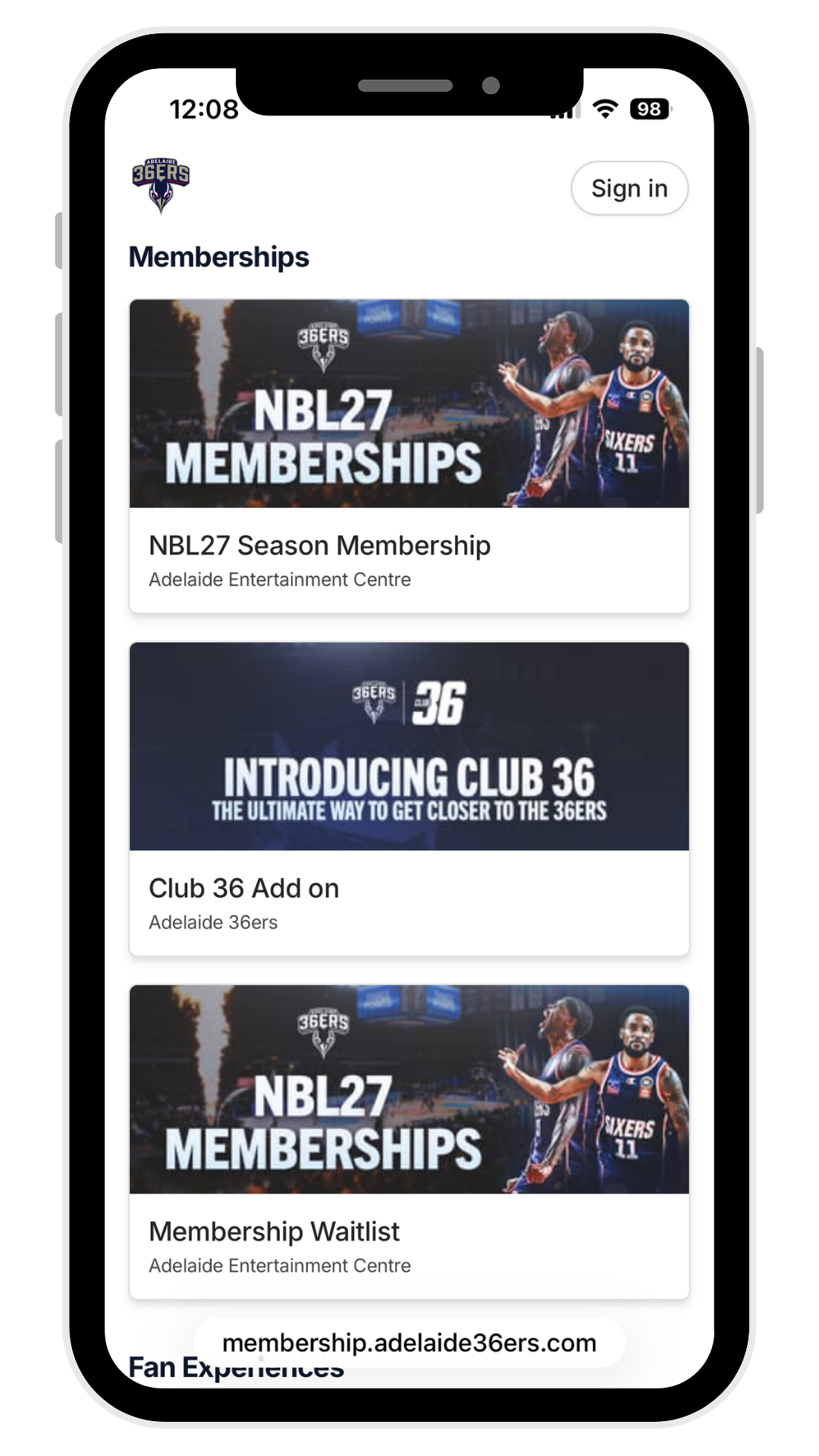
Select "Tickets" from the menu
Once you're logged in, open the page dropdown menu and choose Tickets to see everything tied to your membership.
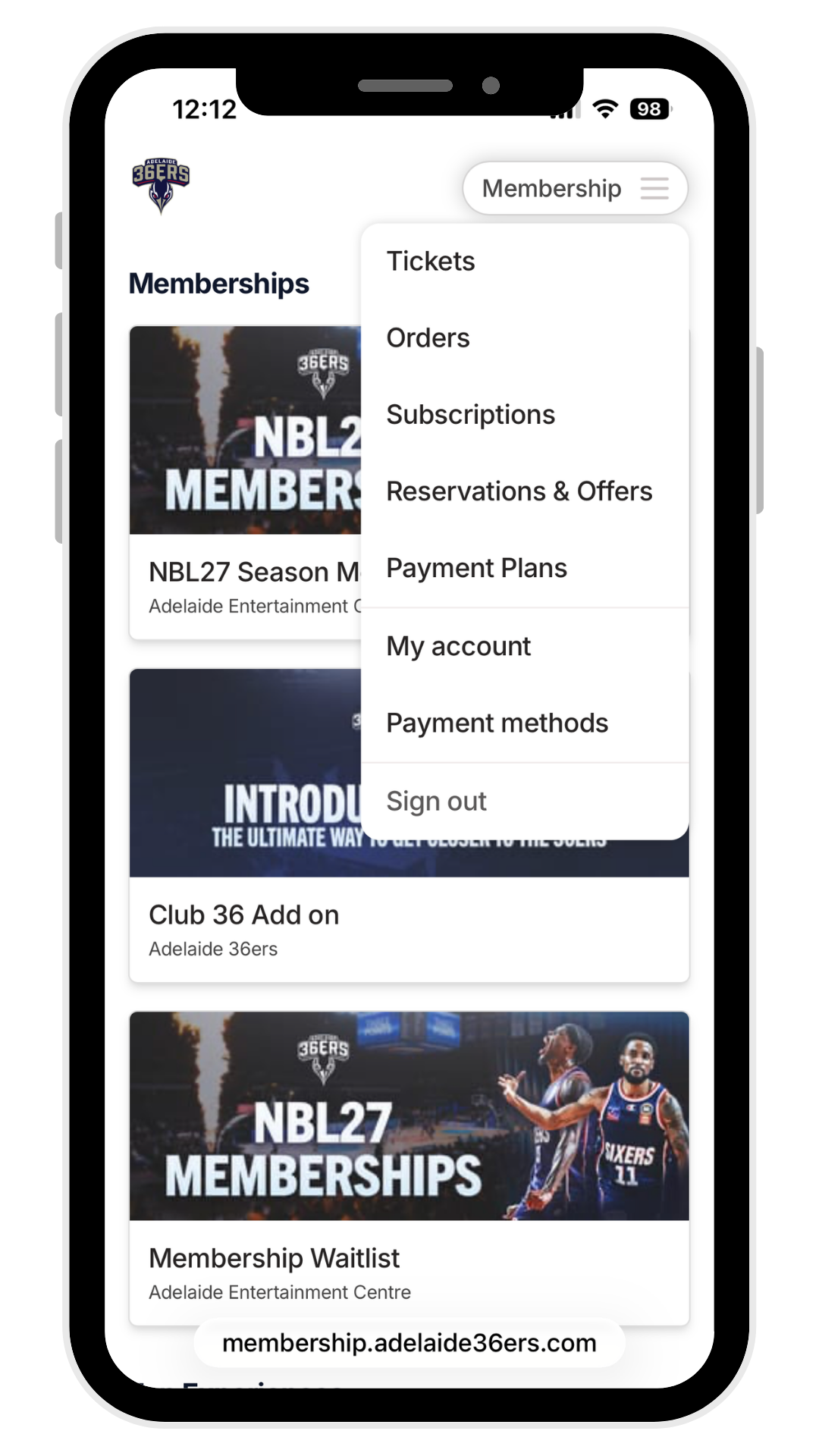
Choose what you'd like to do
From here you've got three options for each ticket:
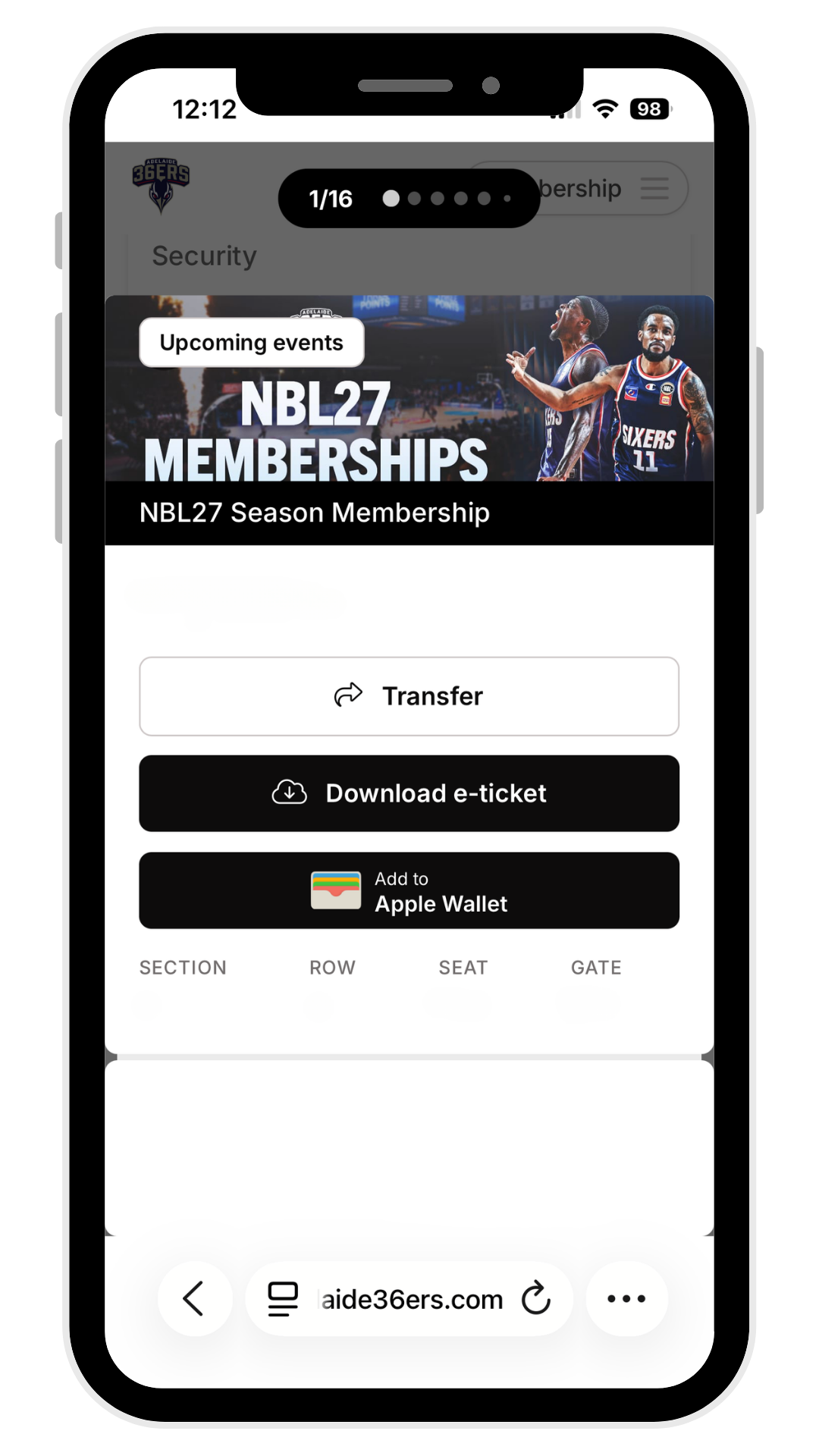
Sending a ticket to someone else
If you picked "Transfer ticket" in step 3, here's how to finish sending it on.
Click Transfer and select the ticket(s) you'd like to send.
Select the game(s) you want to transfer for that ticket.
Enter the recipient's email address and confirm — they'll receive the ticket directly.
Please note: once a ticket has been transferred for a specific game, your seasonal ticket will be deactivated for that game.
General Enquiries
Have a question, comment, or just want to say hi? Fill out the form and we’ll get back to you as soon as we can.
36ers Store
Get all the latest NBL27 gear from the 36ers Store
Follow us for behind the scenes content


Get the latest Sixers news
Breaking news & special offers. Direct to your inbox.
Join our membership waitlist
NBL Properties


Get the latest news to your inbox


The National Basketball League acknowledges the Traditional Custodians of the lands on which we work, live & play. We pay our respects to their Elders past, present & emerging as well as all Aboriginal and Torres Strait Island Community. © year National Basketball League |Terms & Conditions | Privacy Policy